A till that never stops
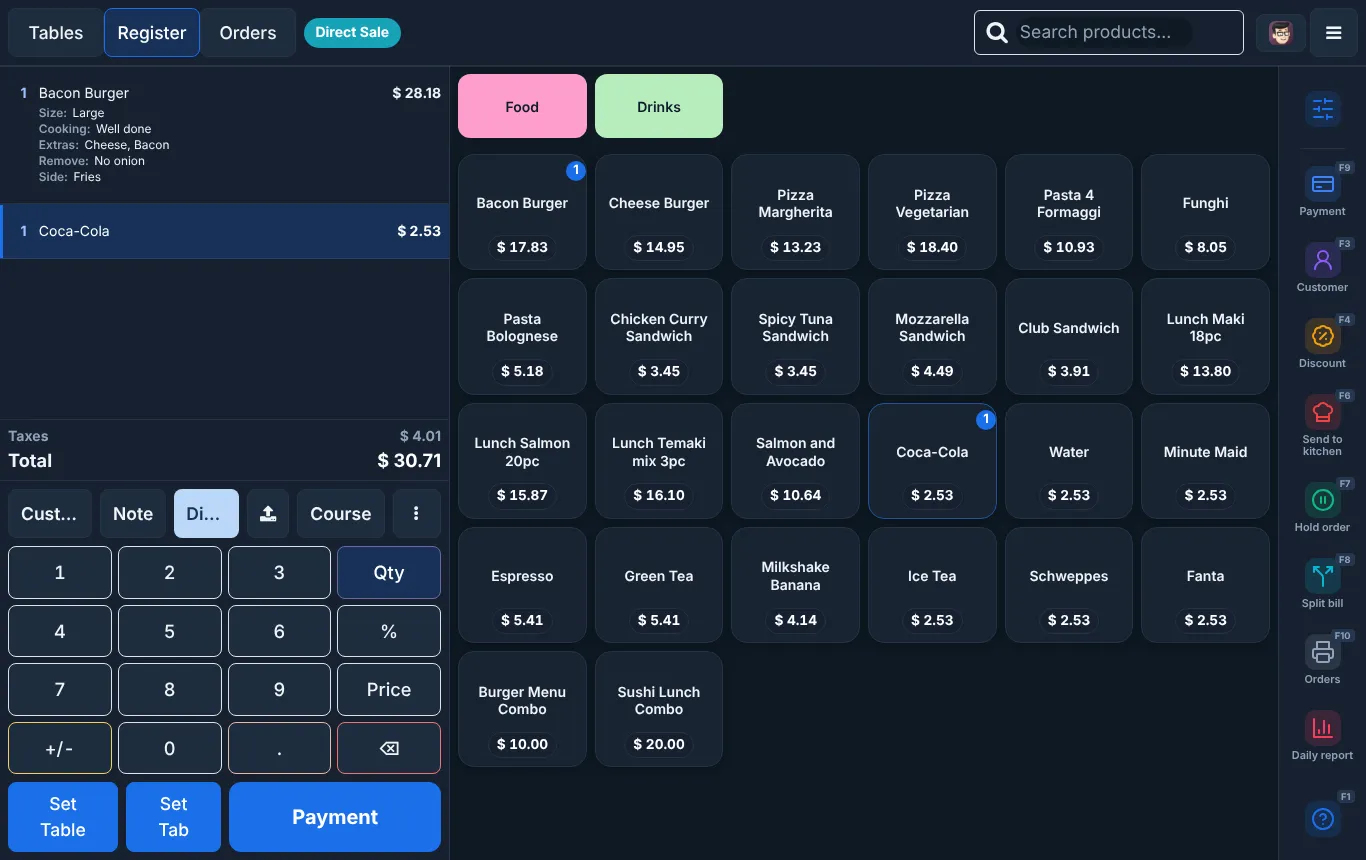
Native app for Android tablets and Windows. Tables, takeout, delivery, modifiers and combos, and it keeps taking orders and printing receipts when the internet drops.
Now onboarding pilot restaurants in the US and Saudi Arabia
Take orders at the counter, the table and on every delivery app from one fast till. Kool POS sends them to the kitchen, deducts your recipes from stock and shows you the numbers on your phone.
Orders from the apps your customers already use
Most restaurants run five or six tools that never talk to each other. Kool POS puts the till, kitchen, delivery, stock, accounting and staff in one place.
Native app for Android tablets and Windows. Tables, takeout, delivery, modifiers and combos, and it keeps taking orders and printing receipts when the internet drops.
Accept, prepare and mark ready from one panel. Orders flow to the kitchen, stock and reports like any other order. No more tablet farm.
Tickets go to the right station the moment they are paid, with modifiers and notes. Fewer lost tickets, faster tables.
Each sale deducts its ingredients, modifiers and weights included. See food cost per item and theoretical vs actual by branch.
Live sales, peak hours, branches, order types and payment mix, compared with last week. In English or Arabic.
PIN login and roles, clock in and out, time off, and payroll: US hours, overtime and tips export; KSA GOSI and WPS salary files.
Invoices, bills, trial balance, P&L, balance sheet, and VAT or sales tax reports from the same data as your sales.
A clean, appetising photo for every menu item, created from its name. No photo shoot needed to launch.
Big touch targets, keyboard shortcuts, day and night themes. Built with cashiers, not just for them.
The register: menu, order, keypad and actions on one screen, with shortcuts on every button.
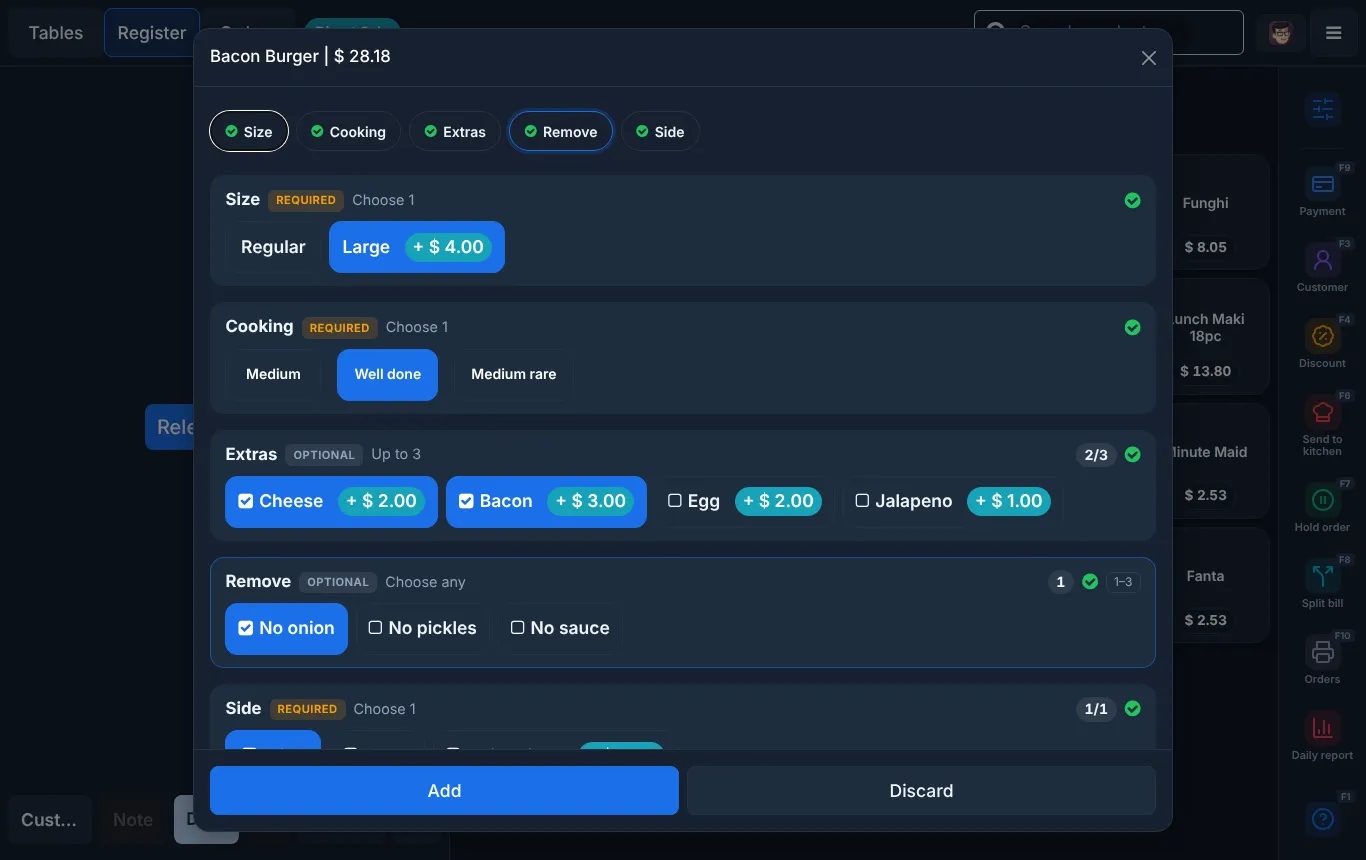
Required and optional choices, price add-ons and limits, so every order reaches the kitchen right.
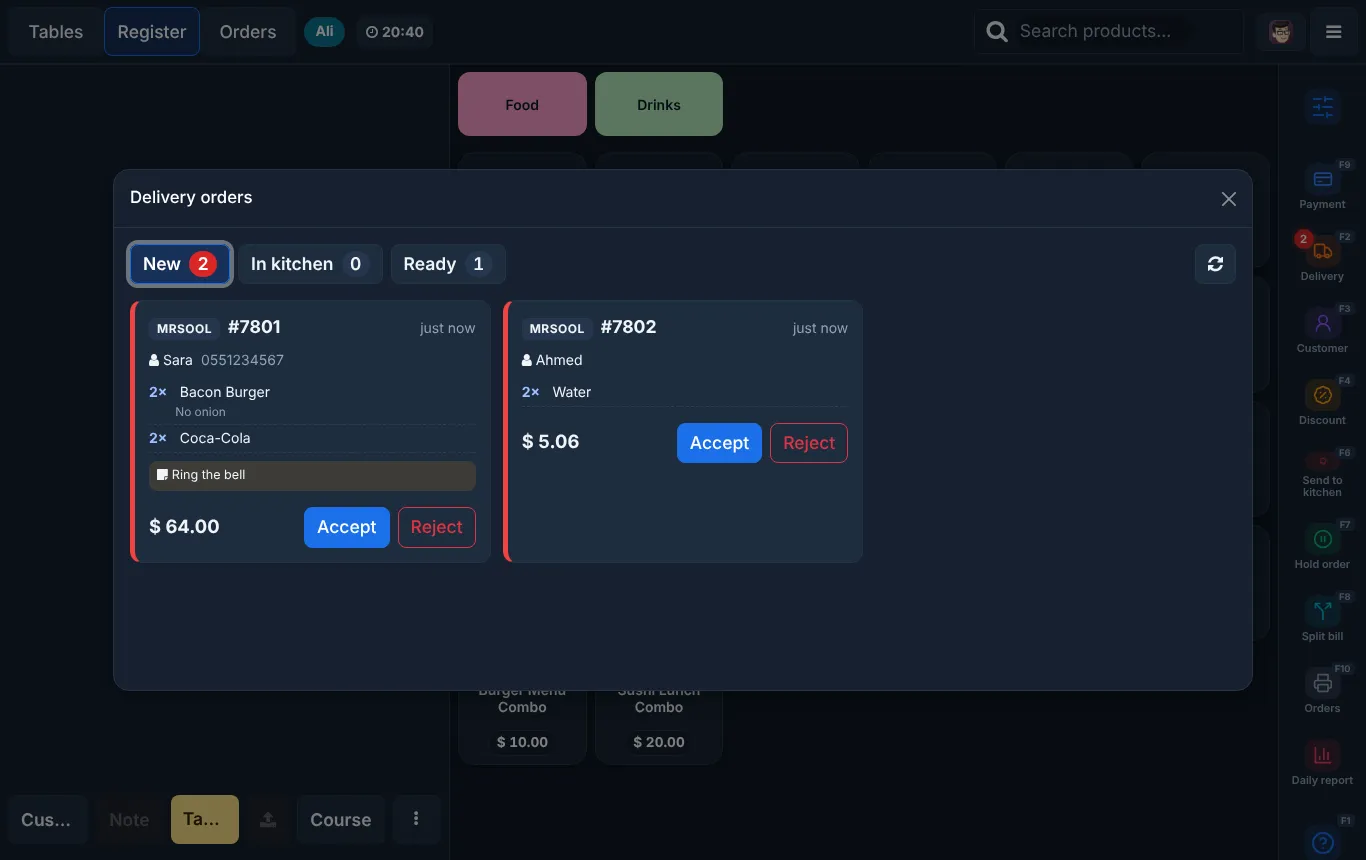
New, in kitchen and ready, for every platform. Accept or reject in one tap.
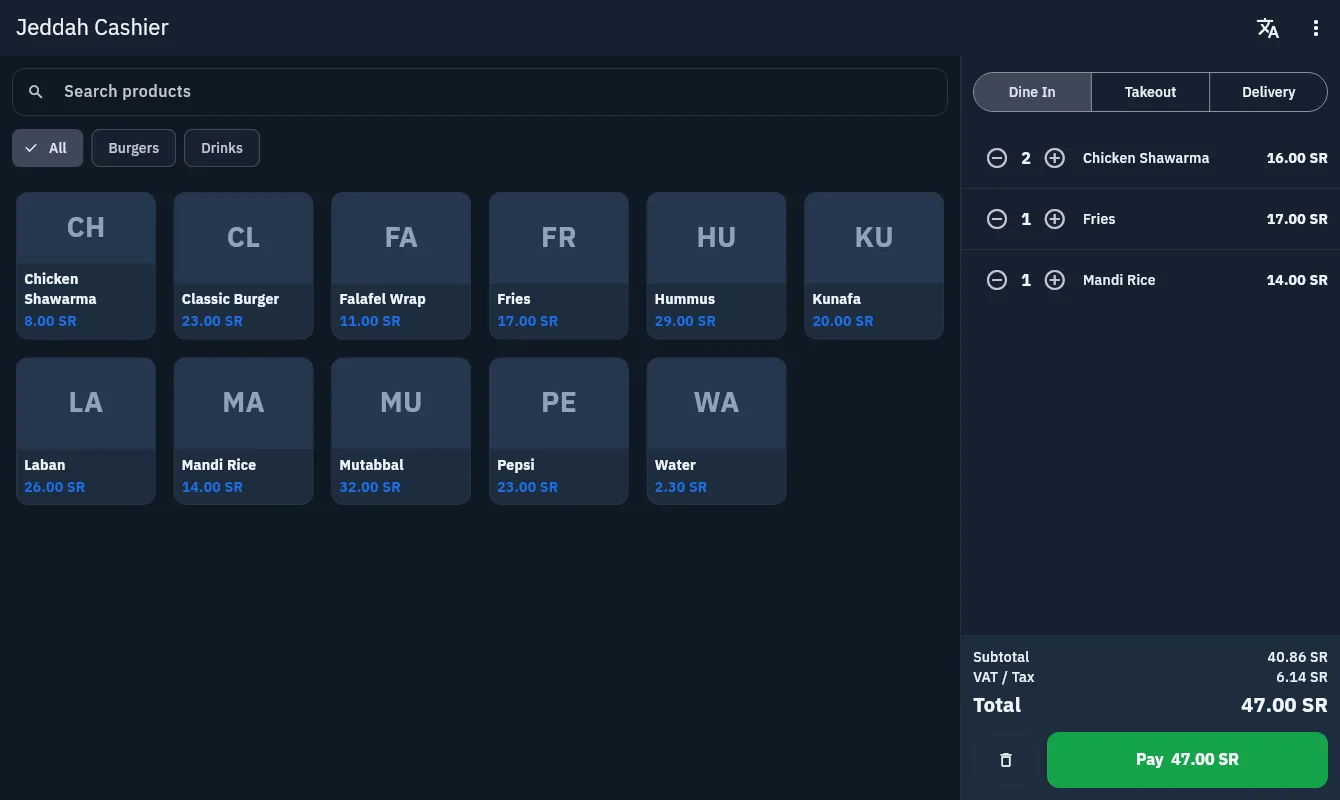
The Android and Windows app, fully right to left in Arabic, with SAR and VAT on every line.
Floor plans, courses, split bills, kitchen screens and recipes.
A fast counter, combos and modifiers, short queues at peak.
Every delivery app in one panel, multiple brands, prep times.
Barcodes, variants, returns and stock per branch.
A 30 minute demo with your own items, prices and branches.
Menu and recipe import, printers, kitchen screens and delivery apps, branch by branch.
Training for your team and a direct line to us during the first weeks.
Pick a plan, add only what you need. No setup lock-in, no commission on your sales.
Compare plansStarter
Small cafe or shop, 1 till
Most popular
Restaurant
Full service, up to 3 tills
Pro
Multi-branch groups
The till app keeps taking orders, accepting cash and card on your terminal, and printing receipts and kitchen tickets. Everything syncs when the connection is back.
An Android tablet or a Windows PC, an Epson or Star receipt printer and, if you want, a cash drawer and kitchen screens. Use what you have or get a kit from us.
No. You pay a subscription per branch. Delivery platforms charge their own fees under your contract with them.
No. Plans are monthly or yearly and you can cancel at the end of any paid period.
You do. We process it only to run the service for you, and you can export it at any time.
Yes. Menu, recipes and customer import are part of setup, and we can run alongside your old system for a few days.
Thirty minutes, your items, your branches. We will show you exactly how a day in your restaurant would run.